I've changed my phone / I need to change my authentication method

Modified on Fri, 20 Mar at 10:10 AM

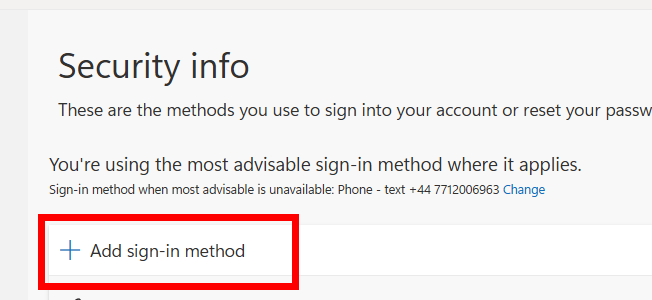
When you change your phone you will need to set up the second level of authentication again to access your REF account. What you do will depend on whether you have access to your old phone or not. 


If you have access to your old phone:

Before you start these steps, make sure you've downloaded the Microsoft Authenticator app to your new phone, or whichever authenticator app you are using. 

If you have any problems with these steps please contact the REF team at usersupport@ref.ac.uk.

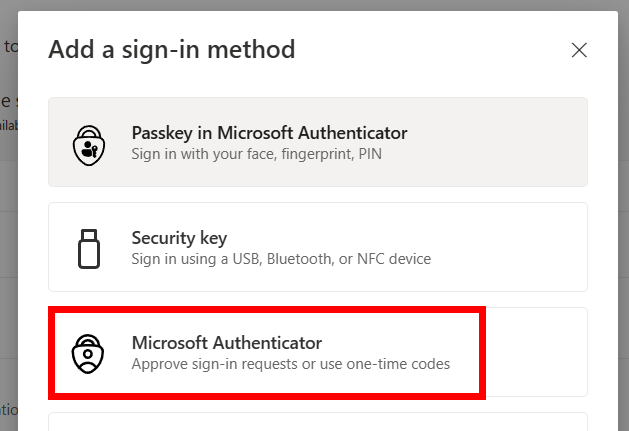
  • Click on Microsoft Authenticator (click on this even if you're going to use a different authenticator app)
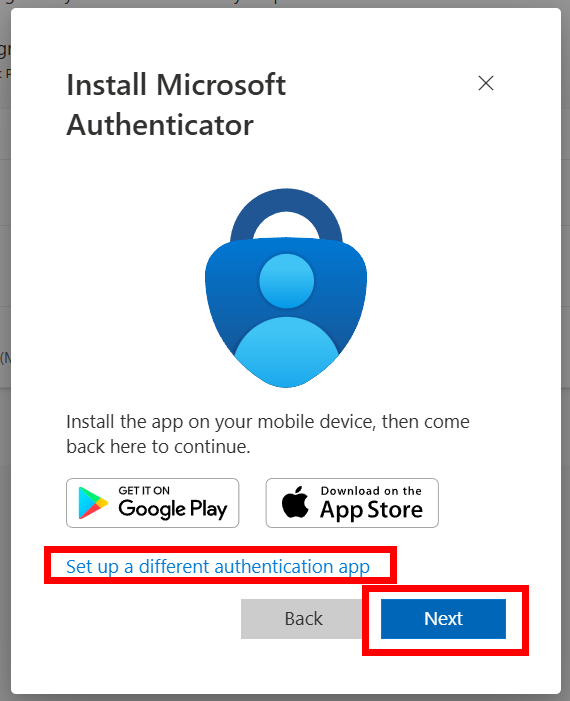
  • If you're using the Microsoft Authenticator app, click on Next
  • If you're using another authenticator app, click on Set up a different authentication app (skip the next few steps and go to the different authenticator app section)
  • If you're using the Microsoft Authenticator app click on Next 
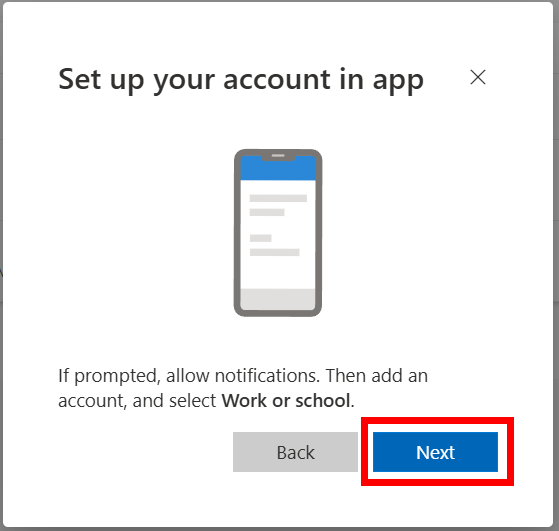
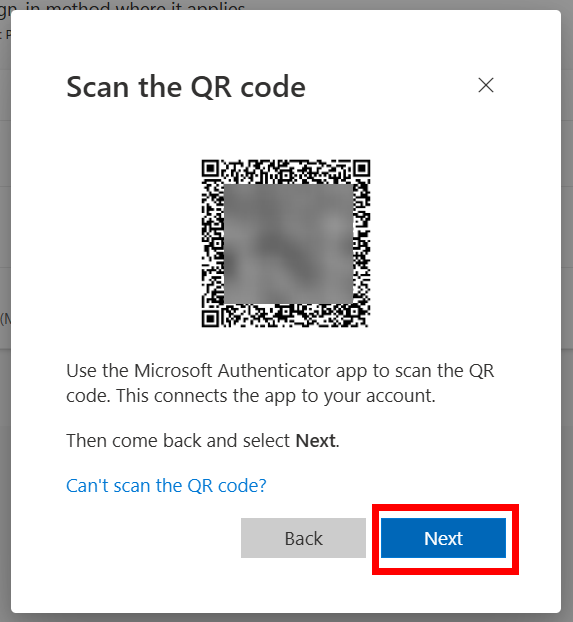
  • Open the Microsoft Authenticator app on your new phone and tap to add a new account
  • Scan the QR code on screen, this will add the account to your phone
  • Click on Next 
Use a different authenticator app
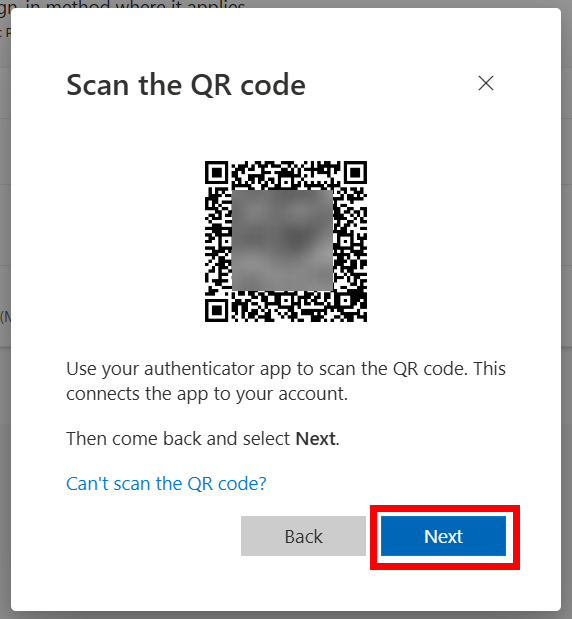
  • When you click on Set up a different authentication app this screen will appear
  • On your new phone, open the authentication app and tap to add a new account
  • Click on Next on your computer screen 
  • Scan the QR code using your new phone, this will add the account to the app
  • Click on Next 


If you don't have access to your old phone: 

  • If you don't have access to your old phone please email the REF team at usersupport@ref.ac.uk and we will reset the authentication app for you so you can set it up again


Was this article helpful?

That’s Great!

Thank you for your feedback

Sorry! We couldn't be helpful

Thank you for your feedback

Let us know how can we improve this article!

Select at least one of the reasons
CAPTCHA verification is required.

Feedback sent

We appreciate your effort and will try to fix the article