Reset your password

Modified on Thu, 2 Oct at 2:53 PM

This article explains what to do if you have forgotten the sign-in password for your REF account. 

You can use the same method if you want to change the password on your REF account.   

We highly recommend using an Incognito or Private window to do any REF-related work. 

If you have any problems with this process, we recommend closing your browser window and starting again with a new Incognito or Private browser window. If the issues persist, please contact usersupport@ref.ac.uk 

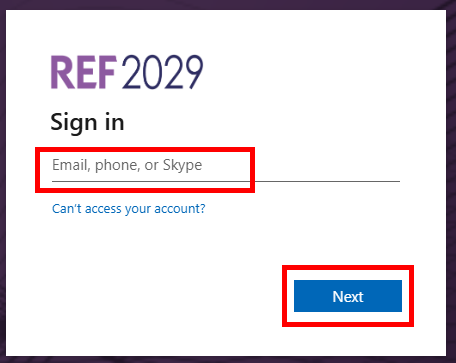
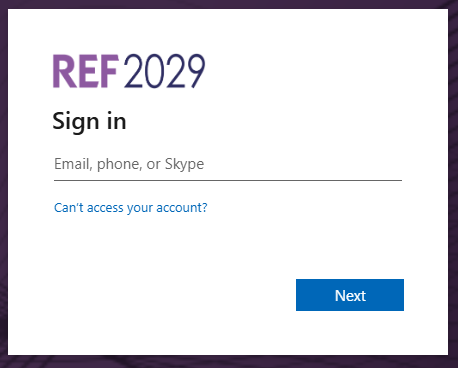
  • At the Sign in, enter REF email address, (we sent you an email with these details)

  • Click on Next


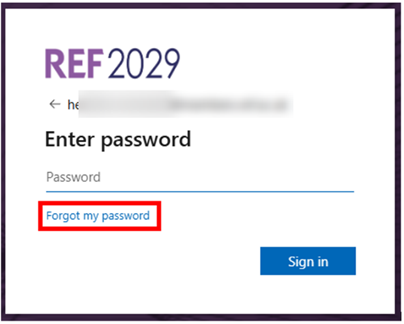
  • Click on Forgot my password


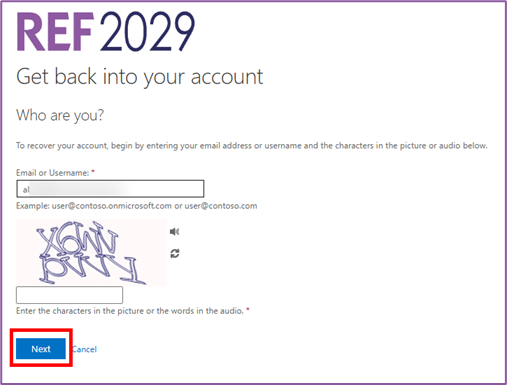
  • Follow the instructions on screen to pass the security test
    1. Your REF email will automatically appear so there’s no need to change this
    2. If you have any problems with the Captcha code, you can use the audio option on screen or use the refresh to get another one
  • Click on Next 


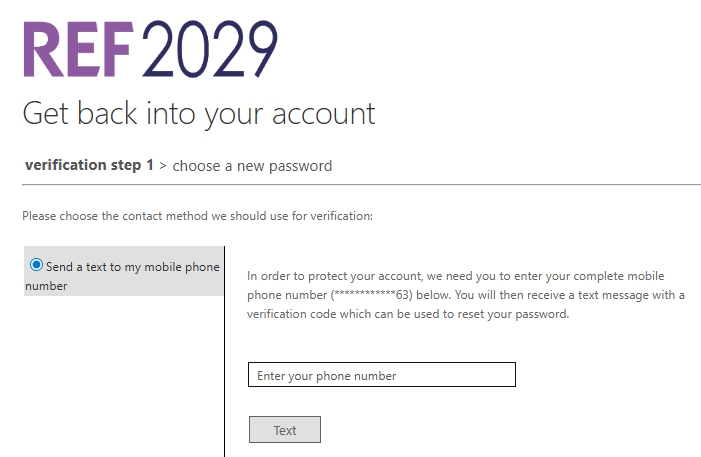
  • You will now need to authenticate yourself. What you see on your computer screen will depend on the authentication method you have chosen so it may not match the screenshot here. The methods are:
    1. using the Microsoft Authenticator app on your mobile phone
    2. using another authenticator app on your mobile phone
    3. receiving a one-time code on your mobile phone by text or WhatsApp
  • Follow the instructions on your computer screen to authenticate yourself

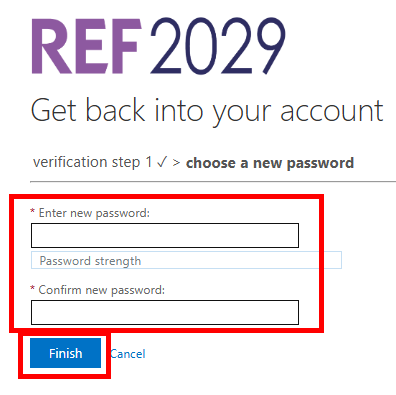
  • Type in your new password
  • Type it in again to confirm it
  • Click on Finish 

Your password must be at least eight characters long and must contain three of the following:

  • Uppercase letter
  • Lowercase letter
  • Number
  • Symbol

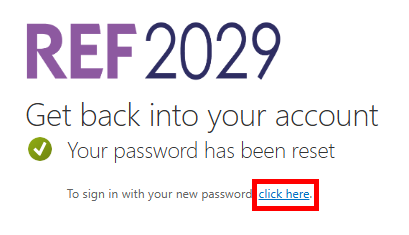
  • Click on click here

  • You will now be able to sign in as normal using your REF email address and your new password


If you have any problems with this process, we recommend closing your browser window and starting again with a new Incognito or Private browser window. If the issues persist, please contact usersupport@ref.ac.uk 


We want to make these articles as helpful as possible so please use the Yes/No buttons below to send us feedback.

Was this article helpful?

That’s Great!

Thank you for your feedback

Sorry! We couldn't be helpful

Thank you for your feedback

Let us know how can we improve this article!

Select at least one of the reasons
CAPTCHA verification is required.

Feedback sent

We appreciate your effort and will try to fix the article