You can auto-forward the following meetings to your organisation email address so that you can see the invitations in your organisation email address:
- Formal panel meeting invitations (those sent by the REF Delivery team)
- Any meeting set up by panel advisors, (any meeting set up on or after 10 October 2025)
However, you must log on to the REF Hub and open Teams to join a virtual meeting. You cannot join the meeting from your organisation calendar.
Do not forward official REF meetings on to any additional recipients (either externally or within the REF Hub). Contact admin@ref.ac.uk if you need to add any additional attendees.
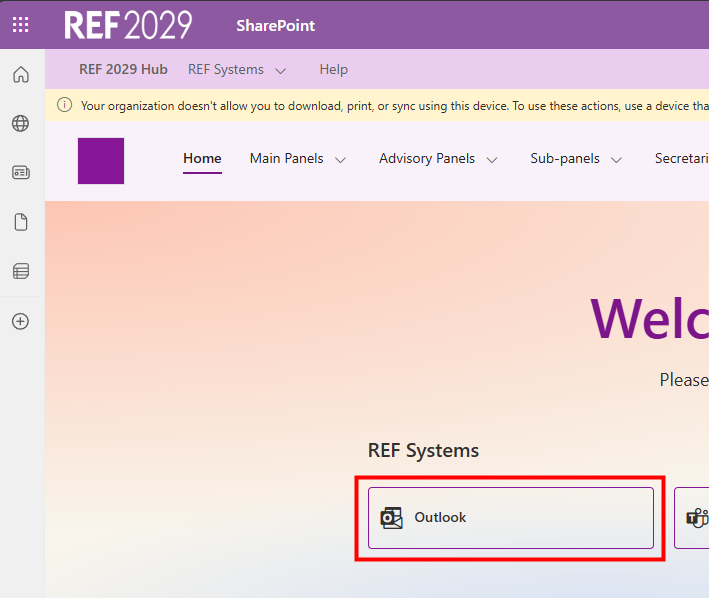
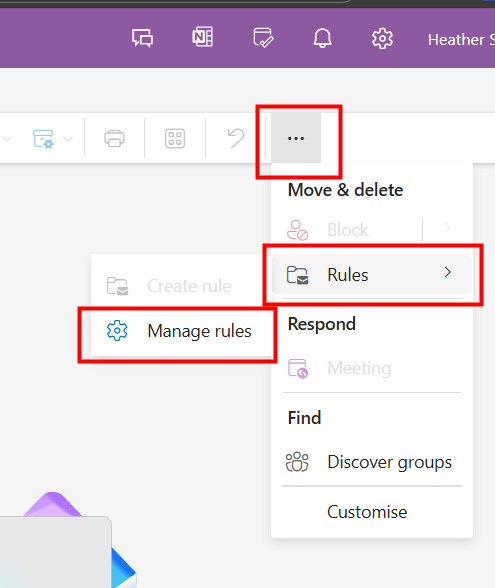
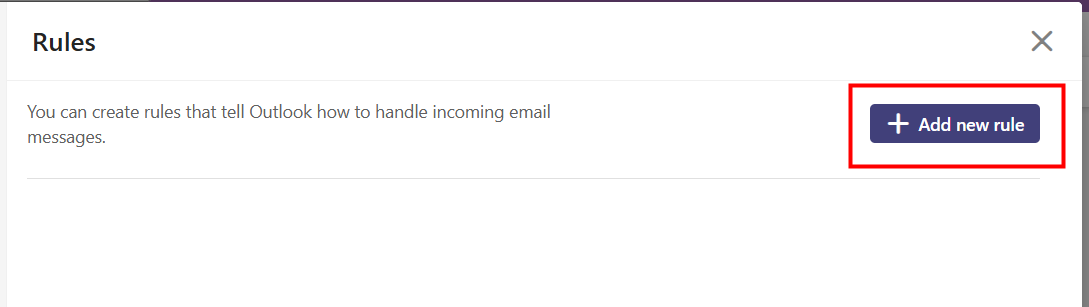
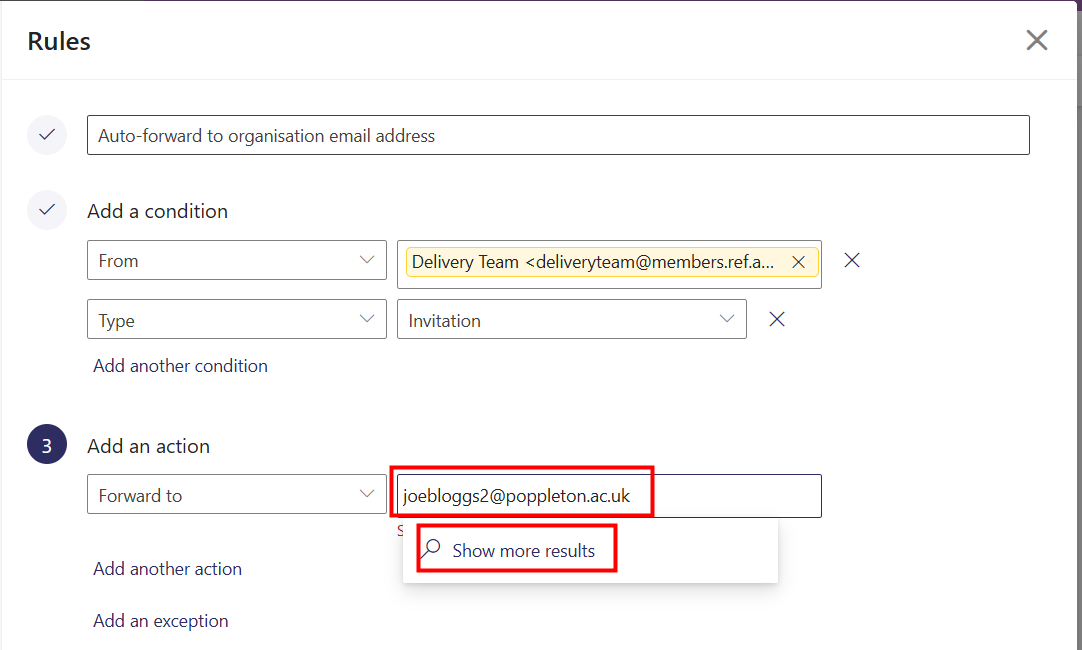
To set up an auto-forward:
 | |
|  |
|  |
|  |
| 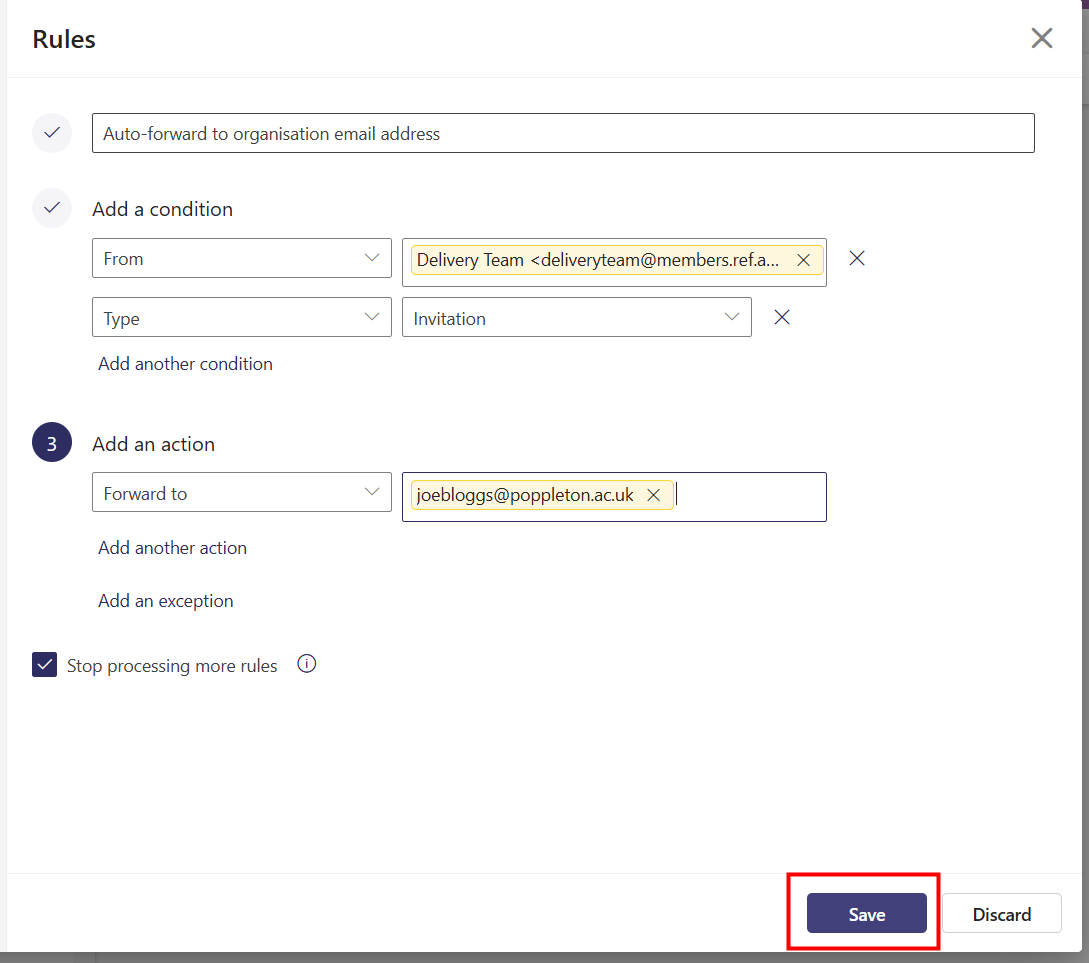 |
All invitations from deliveryteam@members.ref.ac.uk will now be automatically forwarded to your organisational email address. | 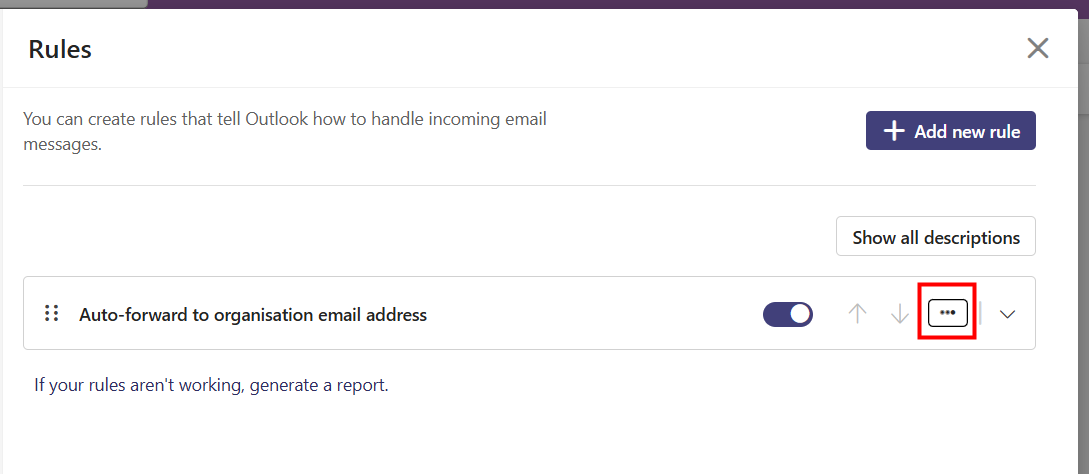 |
Postmaster message
Once you have forwarded an invitation you may get a bounce back message like this - you can ignore this. | 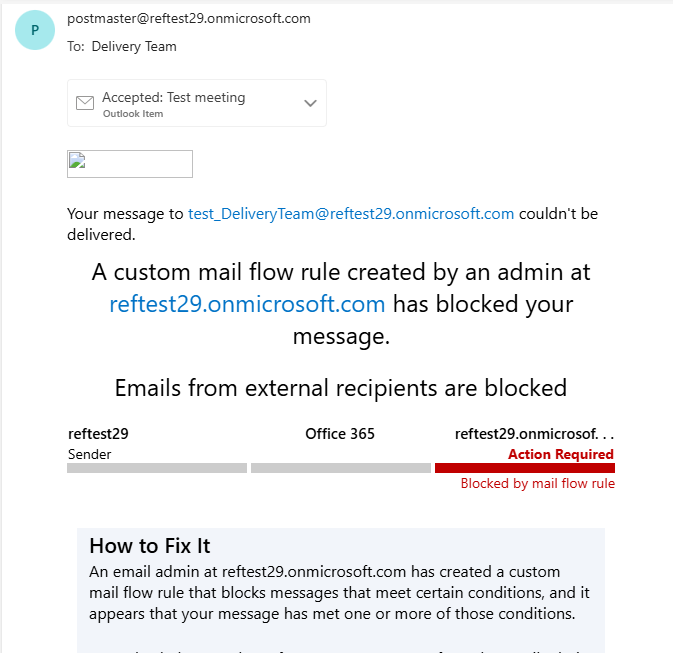 |
We want to make these articles as helpful as possible so please use the Yes/No buttons below to send us feedback.
Was this article helpful?
That’s Great!
Thank you for your feedback
Sorry! We couldn't be helpful
Thank you for your feedback
Feedback sent
We appreciate your effort and will try to fix the article