OneDrive and SharePoint are place to store files in the REF Hub. The My files section of OneDrive is meant for personal files that only you will have access to unless you share them. In SharePoint, everyone in the SharePoint group (i.e. Main Panel A, Sub-panel 12 Executive, etc.) will have access to the files you store there. Below are instructions on how to open OneDrive and SharePoint.
OneDrive
The OneDrive app is an easy way to access files in these areas:
| My files | This is your own personal file storage area. No-one else can see the files here unless you share them |
| Shared | If someone else shares a file with you, you'll be able to see it in the Shared section |
| Quick access | This may show links to the shared file areas in teams/groups. You may need to click on More places..., at the bottom of the list, to view these |
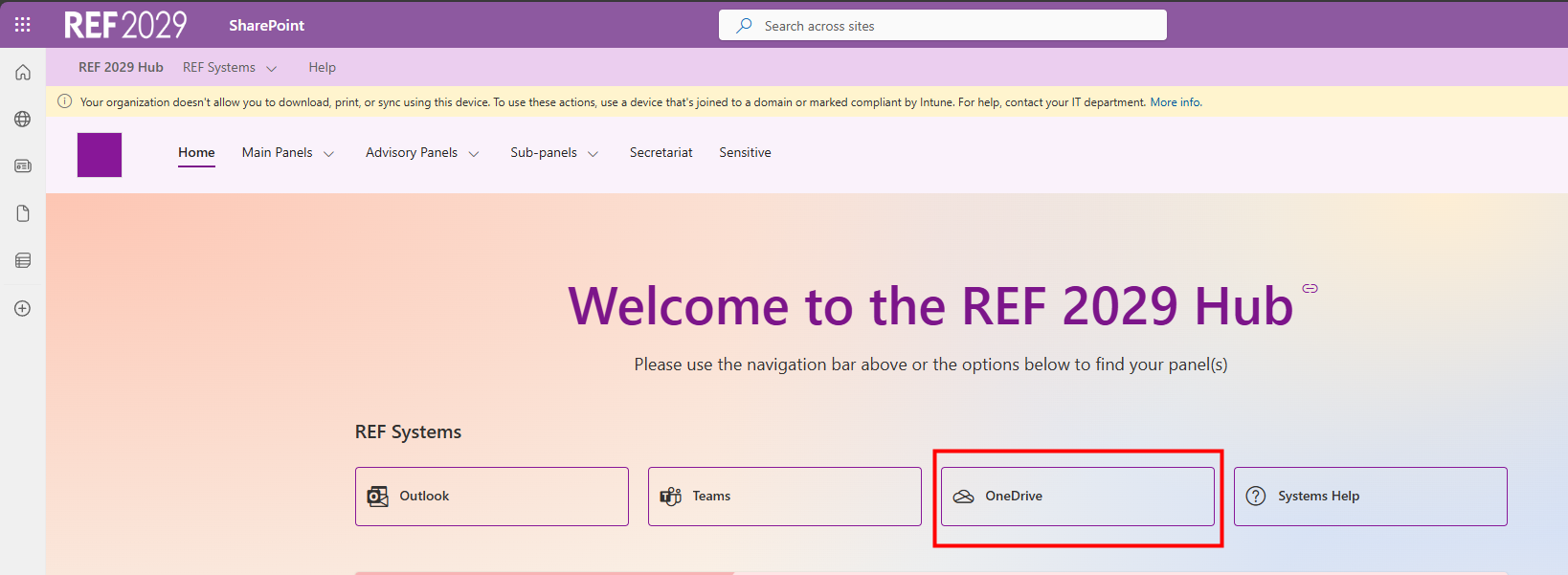
To open OneDrive:
|  |
SharePoint
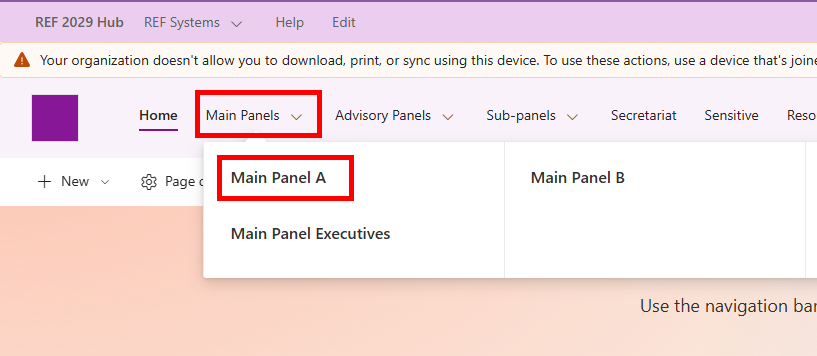
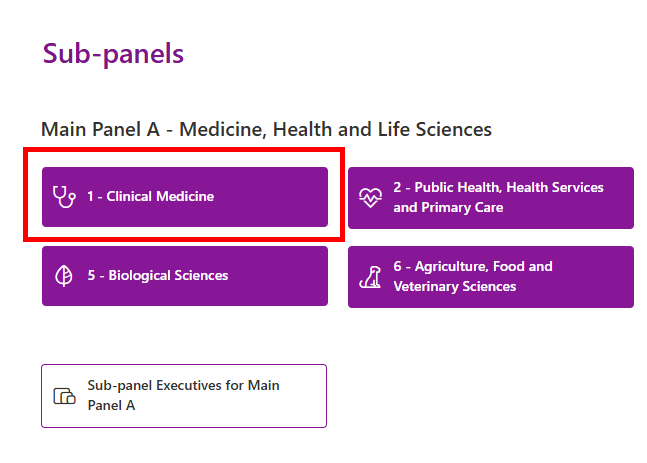
To access SharePoint, you will need to navigate to the SharePoint group that you would like to access. From the REF Hub homepage, you can:
|  |
|  |
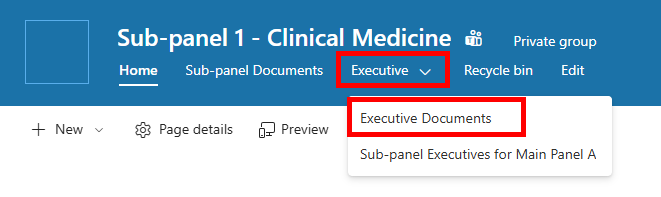
Once on the SharePoint page for the desired panel:
|  |
We want to make these articles as helpful as possible so please use the Yes/No buttons below to send us feedback.
Was this article helpful?
That’s Great!
Thank you for your feedback
Sorry! We couldn't be helpful
Thank you for your feedback
Feedback sent
We appreciate your effort and will try to fix the article